P r e s e n t a

Presenta — Free Mockup Generator Online | Create Screenshot & Device Mockups with No Sign Up

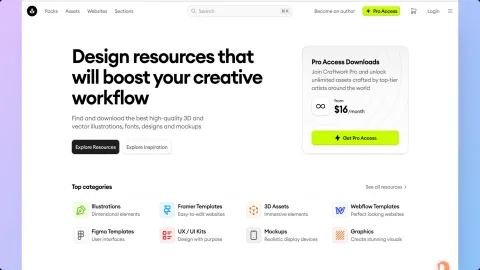
Craftwork
Craftwork
Craftwork Design
UX/UI kits, illustrations, mockups, fonts and icons. Premium design resources for everyone.
craftwork.design
Storytale
Storytale
Storytale
High-class web illustrations under simple subscription. Huge library of stylish assets that grows every week.
storytale.io
Circa
Circa
Circa
Build beautiful websites without code. A visual website builder for designers and creators.
circa.so
Click mockup Upload Drag Rotate Drag Spin Drag Perspective

Shortcuts

General
Export image
E
Copy to clipboard
C
Paste image
V
View
Zoom in
+
Zoom out
Reset zoom
0
Toggle sidebar
\
3D Transform
Rotate X / Y
+drag
Perspective / Rotate Z
+drag
Text
Duplicate while dragging
+drag
Navigation
Show shortcuts
?
Close panel
Esc

Reset Settings

This will reset all settings to their defaults and clear your saved state. This action cannot be undone.

Presenta from Craftwork
Version 1.0.0
Price Free

Free online mockup generator. Upload your design, pick a mockup, tweak shadows, borders and 3D transforms — export a polished image in seconds. Everything runs in your browser, no sign-up required.

Craftwork

Design resources that boost your creative workflow

UI Kits, Illustrations & Mockups
3D Assets, Icons & Fonts
Framer & Coded Templates
Figma Plugin for Instant Access
Commercial License Included
Fresh Inspiration Daily
Presenta is a free tool made by Craftwork. No watermarks, no limits, no sign-up.
Presenta · Notes

Release Log

Latest
v1.3.0

Onboarding & Image Layers

A welcome mat for first-time visitors, draggable image layers on the canvas, and a redesigned changelog timeline.

02
  • Welcome onboarding popup — auto-shows on first visit, also wired to a header Tour button, Esc, and backdrop click
  • Image layers — drag and resize image elements directly on the canvas, mirroring text-layer behavior
03
  • Changelog redesigned into an editorial timeline with version markers and kind-colored sections
  • Welcome popup honors prefers-reduced-motion — staggered reveal disabled for vestibular-sensitive users
  • Brand tokens unified across the app — single lime accent, consistent radii and z-index scale
01
  • Horizontal squeeze when swapping artboards after upload
v1.2.0

Multi-Artboards & Canvas Depth

Compose mockups from multiple independent artboards, with glass bubbles, a 3D gizmo, and a richer depth pipeline.

05
  • Multi-artboard composition — stack independent artboards into a single canvas
  • Glass bubble blobs with per-bubble depth-of-field, behind / front layering
  • Interactive 3D gizmo for visual rotation control
  • Alt-drag shortcut to duplicate elements on the canvas
  • Per-image bokeh overlay for richer foreground depth
04
  • 3D perspective range expanded to 20–2000 with non-linear scale
  • Size slider expanded to 50–300 for tighter and wider compositions
  • Light leak and orb effects reworked with cleaner falloff
  • “No pattern” moved to the top of the pattern picker
03
  • Layout dropdown no longer clips at the edges
  • Blobs restored in Behind mode
  • Duplicate squeeze artifact resolved in multi-artboard rendering
v1.1.0

Typography & Canvas Controls

Text layers on the canvas, social-media size presets, and a redesigned browser frame.

04
  • Text-on-layout typography — place editable text layers around the mockup stack
  • Font registry (fonts-config.js) wired into the app with multiple weights
  • Canvas size dropdown with social-media presets and custom dimensions
  • Browser URL input for realistic address-bar mockups
03
  • Rebuilt browser chrome with tighter Arc-style toolbar
  • Polished sidebar sliders and card previews
  • Unified preview tiles with frosted-glass styling across the sidebar
01
  • Depth-of-field blur restored in exports via canvas post-processing
v1.0.0

Initial Release

The first public version of Presenta — a complete mockup generator running entirely in the browser.

04
  • Complete mockup generator with screenshot and device modes
  • Dark mode UI with professional studio-grade interface
  • Multi-screen layouts — 1, 2, or 3 devices
  • Session persistence — your work survives page reload
05
  • Background effects: solid colors, gradients, blur, noise, patterns
  • Configurable shadows: colored, adaptive, and positional controls
  • 3D transform presets with rotation, perspective and tilt
  • Depth of field with directional and radial modes
  • Screenshot styles: glass, outline, border, retro, card, stack
04
  • Export to PNG/JPG at 1x, 2x, or 3x resolution
  • Copy to clipboard for instant sharing
  • Drag-and-drop image upload with paste from clipboard
  • Keyboard shortcuts for fast workflow
v0.9.0

Pre-release & Polish

Major visual overhaul and stability fixes before the public launch.

03
  • Major dark mode UI overhaul with new design system
  • Background effect settings now have dedicated control panels
  • Shortcuts panel redesigned with dark minimal aesthetic
04
  • Export reliability — replaced rendering engine for stable output
  • Canvas drag interaction for moving mockups in viewport
  • Drag-and-drop upload no longer conflicts with effect controls
  • Depth of field controls restored and fully functional
01
  • Favicon, OpenGraph tags and SEO meta for social sharing